
How do I mark a conversation as read, unread or starred?
Published on: 03/11/2026
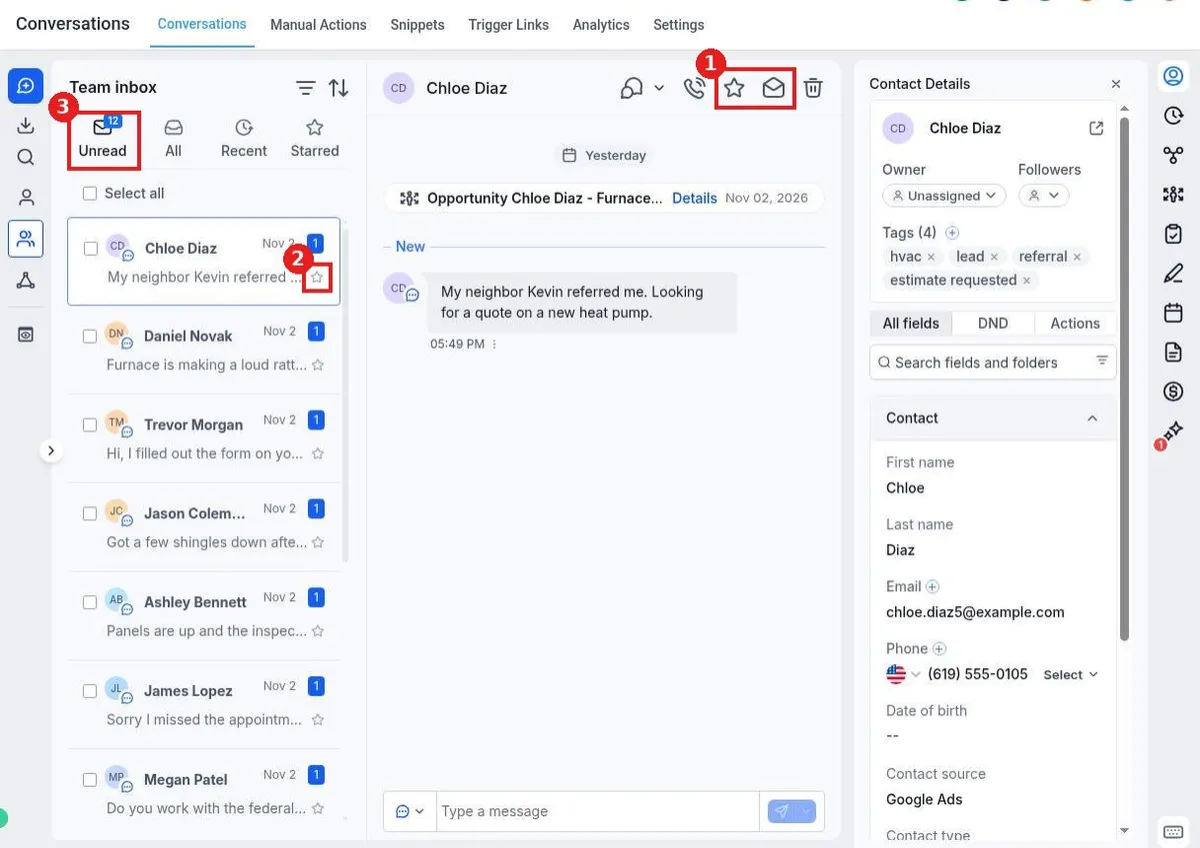
Mark conversations in Reachific: open the conversation and use the star and envelope icons in the header, or click the star on the conversation in the list. Use the Unread and Starred tabs to find them later.
mark unreadstar conversationinboxhelp center